

You can give Github Actions access to your AWS account with access keys, but you can also grant access with OpenID Connect. For this you don’t need static access keys, and is thus way more secure.
- Go to AWS IAM
- Go to Identity Providers
- Click on “Add Provider”
- Click on “OpenID Connect”
- Enter the following data:
- Provide URL: https://token.actions.githubusercontent.com
- Audienace: sts.amazonaws.com
- Enter the following data:
- Click on “Add Provider”
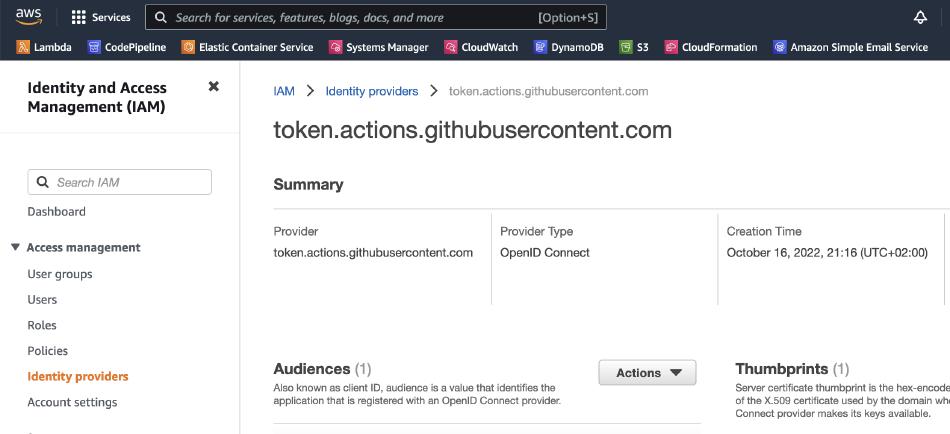
- Creata a new role
- Give it a name
- Add the following policy
 1{
 2    "Version": "2012-10-17",
 3    "Statement": [
 4        {
 5            "Effect": "Allow",
 6            "Principal": {
 7                "Federated": "arn:aws:iam::XXXXXXX:oidc-provider/token.actions.githubusercontent.com"
 8            },
 9            "Action": "sts:AssumeRoleWithWebIdentity",
10            "Condition": {
11                "StringLike": {
12                    "token.actions.githubusercontent.com:sub": "repo:org/repo:*"
13                },
14                "ForAllValues:StringEquals": {
15                    "token.actions.githubusercontent.com:aud": "sts.amazonaws.com",
16                    "token.actions.githubusercontent.com:iss": "https://token.actions.githubusercontent.com"
17                }
18            }
19        }
20    ]
21}
Now add aws-actions/configure-aws-credentials@v1 to your Github Actions workflow and add the role to assume, see for example this workflow:
 1on:
 2  push:
 3    branches:
 4      - main
 5
 6jobs:
 7  deploy:
 8    runs-on: ubuntu-latest
 9    permissions:
10      id-token: write
11      contents: read
12    steps:
13      - uses: actions/checkout@v3
14      - name: Configure AWS Credentials
15        uses: aws-actions/configure-aws-credentials@v1
16        with:
17          role-to-assume: arn:aws:iam::XXXXXXXX:role/GithubActionsOpenConnect
18          aws-region: eu-central-1
… and add the rest of your workflow as usual. You should now be able to use the AWS CLI in your workflow without access keys.